Marketing & Analytics Consultant
-
Debugging tags with your browser’s native developer tools
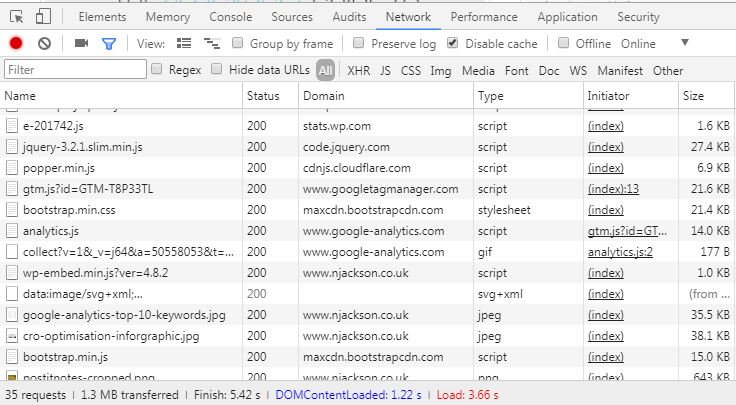
Your browser’s native developer tools are a great way to test third-party tags (Google Analytics, Display/Social Pixels) if you’re unable to (or don’t want to) add extensions such as Google Tag Assistant or Ghostery to your browser. All browser’s developer tools work in the same way, when visible on a page they collect debug information…
-
iOS finally gets Google Opinion Rewards
Last week Google released their Opinion Awards on iOS. Users of iOS can download the app from The App Store and link it to their PayPal account. The app then collects your GPS, WiFi, and beacon location data throughout the day. When Google sees that you’ve spent some time in a store (data pulled from…
-
Fantastic guide to conversion rate optimisation by SEOGadget
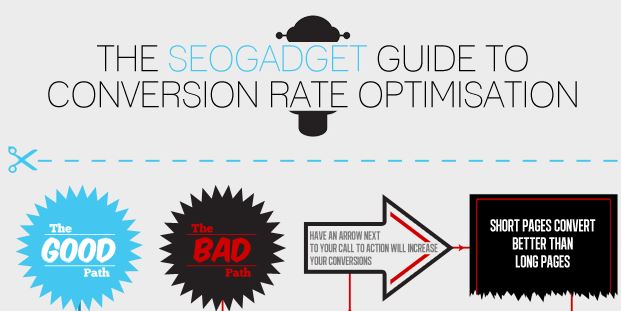
This was just too awesome not to share. It’s got the good and bad way to do conversion rate optimisation spot on. It’s looking at a more broad view than page level, the path that a typical user takes to convert. A CRO infographic by SEOgadget.co.uk, read the full guide on SEOmoz
-
Forget about “Not Provided” in Analytics. Infer your keywords by looking at landing pages
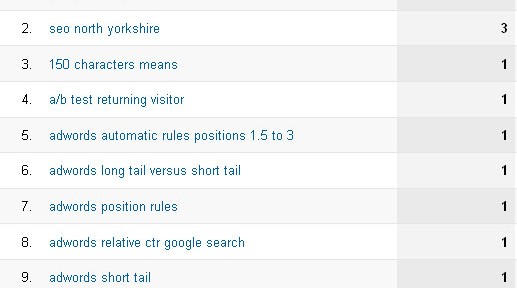
I had a look in Google Analytics today at what keywords had been driving traffic to my site. What I found was that (Not Provided) was most of my traffic. I wasn’t surprised, this blog isn’t hugely popular, not updated frequently and is a part-time hobby. But I still wanted to know how people reached…
-

Daily PPC management – An easy way of keeping up
Managing multiple PPC accounts can be a real pain sometimes. You make a change, and another, and another. And before you know it, it’s a week later and you can’t remember what to check up on! Sure, you can check the change history (if the platform has it), figure out your rationale and then check…
-

Google News hiding other social share buttons
Today I’ve noticed that on Google news, the +1 button is shown as default. But it only shows you other social shares when you expand a post. Needless to say, Google News is a Google product, so they can do what they like to it. But users who have no idea what +1 is may…
-

Website Optimisation – Identifying what to test
If you want your website to be successful, conversion rate optimisation is crucial to success. Just half a percent increase can make a huge difference in the volume of leads your site generates, and more importantly – your ROAS. The effort-reward ratio certainly means you should put aside some time to test. I’ll be referring…
-
Google AdWords: Stop the short tail from ranking over your long tail
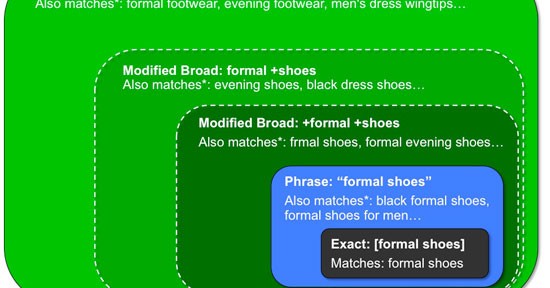
Bidding on both Broad and exact match keywords of the same product can be a bit of a problem with the broad keywords overlapping the long tail keywords. The situation You have widgets broad match at £5 max CPC. You run a search query report and notice that [blue widgets] has less competition and performs…
-
Google SERPs showing 2 column comprehensive sitelinks
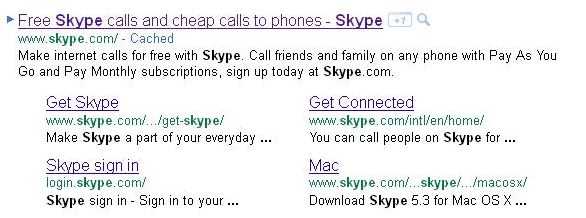
Just another post about something I’ve never seen before. Google appears to have included 2 columns of detailed site links, rather than single lines or the nested associated page.
-
Suggestions moved ‘into’ the Google SERP
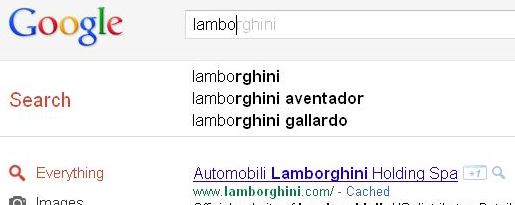
Google’s testing putting the suggested search into the page, rather than floating suggestions directly below the search bar. Anyone else notice anything different?